Media Captions
Watch foreign videos with live translated captions
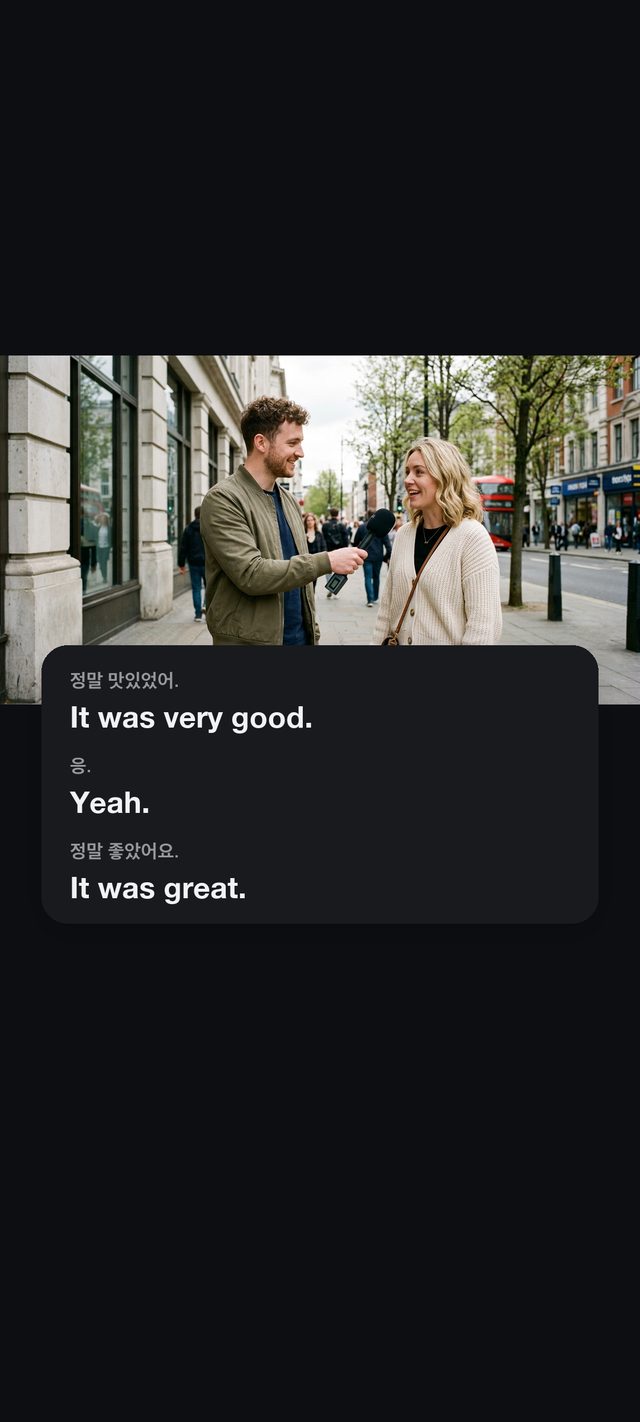
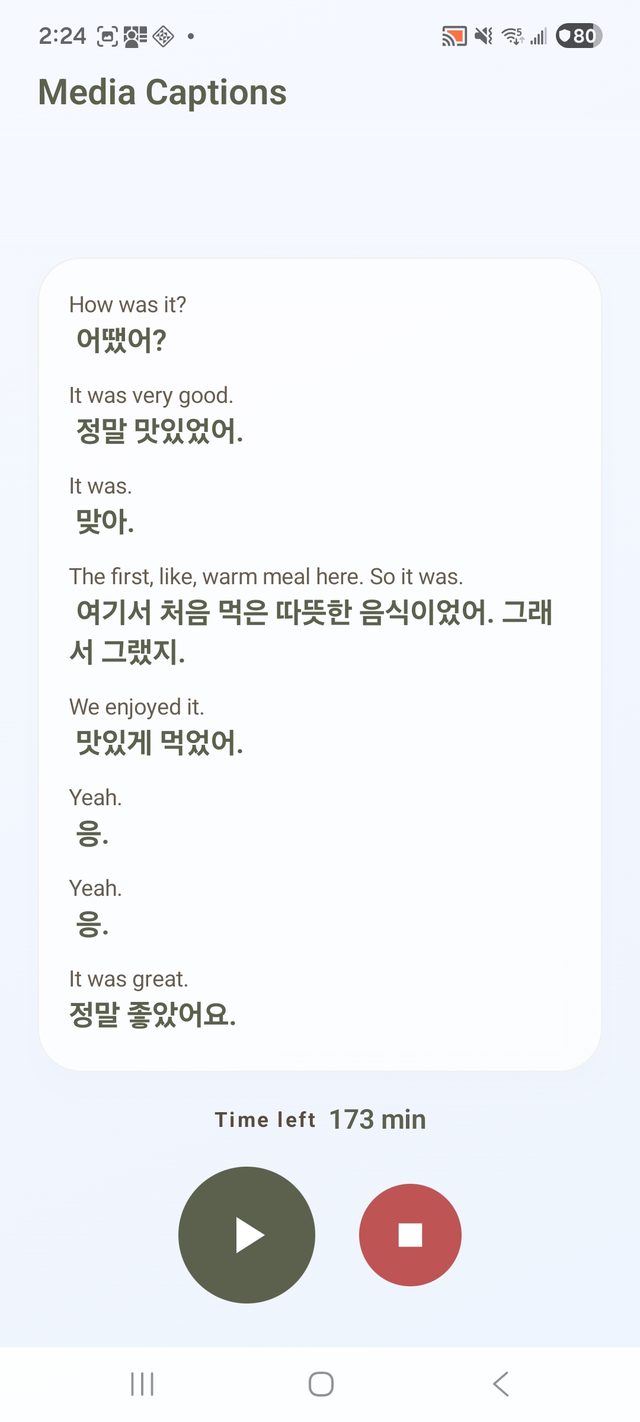
Tablow Media Captions translates the video and audio playing on your phone in real time. A floating caption window follows you into other apps, showing the original and the translation side by side, about 1-2 seconds after each sentence.
So many videos never get subtitles
Street interviews, local variety clips, live streams, lectures. The videos you want to watch often have no subtitles, or the auto-captions do not cover your language. Pause to paste a line into a translator app and you have lost the thread.
Tablow Media Captions listens to whatever your phone is playing and overlays live captions with the original and the translation together. No switching apps, no copy-pasting.
How it works
Start Media Captions
Tap the Media Captions card on the Tablow home screen, pick your language, and allow screen sharing. Whatever language the video speaks, the captions come in your language.
Go back to your video app
Go back to your video app and press play. Nothing else to set up.
Read the floating captions
A caption window floats over the video with the original and the translation. Back in Tablow, the full transcript is waiting.
Great for
Interviews and vlogs
Watch local videos that have no subtitles, without waiting for someone to caption them.
Live streams
A live broadcast can never come with subtitles. Tablow translates it while it happens.
Language learning
The original and the translation stay side by side, and the transcript is saved for review.
What makes it work
- About 1-2 seconds after speech. Captions stream in and update while the sentence is still going.
- Original and translation together. You always see what was said and how it was translated.
- A transcript is saved. Reread the whole session in your archive afterwards.
- Raw audio is never stored. Sound is used only for live transcription and translation.
- iOS and Android. Works the same way on both since version 1.1.6.
Frequently asked questions
Does it work with any video app?
It captures the sound your device is playing through screen sharing, so it works with most video, music, and live-stream apps. Some apps may block audio capture for content-protection reasons.
How does it work?
On iOS it uses screen broadcasting; on Android, the screen-sharing permission. Only the audio being played is processed, for live transcription and translation. The picture itself is never used or stored.
How fast are the captions?
Final captions appear about 1-2 seconds after speech, and partial captions update in real time while a sentence is still in progress.
What does it cost?
The app is free to download. Media Captions uses the same live minutes as conversation rooms, and new accounts get free starter time to try it right away.
Is the audio stored?
Raw audio is never stored; it is used only for live transcription and translation. The caption transcript stays in your archive and is deleted 7 days after the session by default. You can delete it sooner.
Which languages are supported?
It recognizes speech in 60+ languages and translates into the language you choose. Korean, English, Japanese, and Chinese pairs are the most common.
Play the video, read along
Start Media Captions, then press play.